Tennis Ball Tracking Using Open CV
The objective of the project was to utilize OpenCV to track a tennis ball in a video. This project served as an initial step in the field of computer vision, providing valuable knowledge about the RGB and HSV color scales. Additionally, it provided insights into contour detection, which collectively contributed to the successful detection of the tennis ball.
Note:The complete code to the Detection/Tracking algorithm can be found on my github page
Methodology
Difference between RGB scale and HSV scale
The RGB scale
The RGB scale, or RGB color model, is a widely used system for representing colors in digital imaging and computer graphics. It combines three primary colors (red, green, and blue) to define colors. Each color channel is assigned a value from 0 to 255, indicating the intensity or brightness of that color component. By adjusting these intensity levels, a broad range of colors can be achieved. The RGB scale is additive, meaning different combinations of red, green, and blue can create various hues, shades, and tones. It is commonly used in displays, monitors, and digital cameras. However, color reproduction can vary between devices due to differences in color gamut and calibration.

The HSV Scale
The HSV scale, also known as the HSV color model, is a color representation system used in computer vision and image processing. Unlike the RGB color model, which combines red, green, and blue to create colors, the HSV model defines colors based on three components: hue, saturation, and value. Hue represents the dominant wavelength of a color, saturation determines the intensity or purity of the color, and value represents the brightness or lightness. The HSV scale offers advantages such as intuitive color selection, robustness to illumination changes, and efficient color filtering.The HSV Color Space is shown in the below image
 - Copy.png)
Reason For Using HSV scale over RGB scale
The HSV scale is preferred over the RGB scale in color filtering techniques due to the following reasons:
- Intuitive color selection: The separation of hue, saturation, and value components in the HSV scale allows for easier selection and manipulation of specific colors.
- Robustness to illumination changes: The HSV scale handles variations in lighting conditions better by isolating the value component, representing brightness.
- Efficient color filtering: The HSV scale simplifies color filtering by allowing the definition of specific color ranges based on hue and saturation.
- Independence from hardware variations: Unlike the RGB scale, the HSV scale provides a more device-independent representation of colors, ensuring consistency across different devices.
Color Filtering technique on an image of a Tennis Ball
Color filtering is a widely used technique in computer vision and image processing to isolate specific colors or ranges of colors in an image.In order to refine the color filtering technique first it was applied on an image of a tennis ball and then it was applied to a video
Algorithm Used
- Read Image as an RGB Image
- Convert Image to HSV
- Define the Upper and Lower color ranges
- Create the mask based on color ranges
Reading Images as RGB images
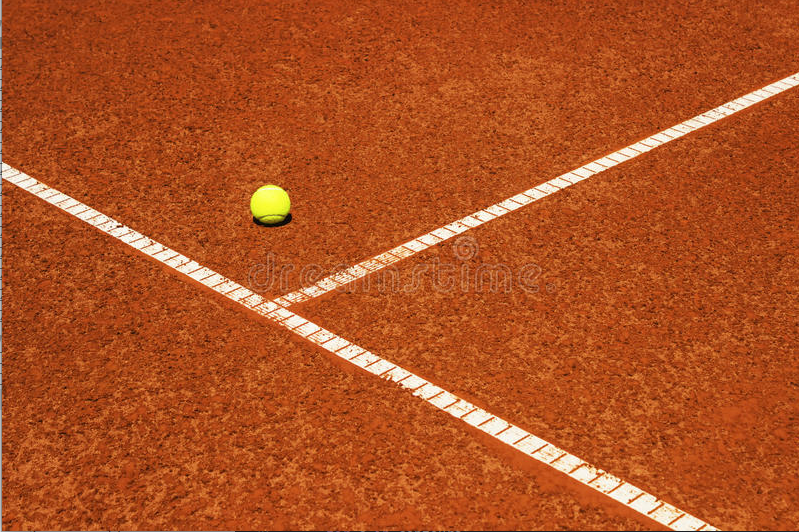
Image=cv2.imread(image_name.jpg)cv2.imshow("name_of_the_image",image)The below image shows the output of the code which displays the RGB image
Converting Images to HSV Scale
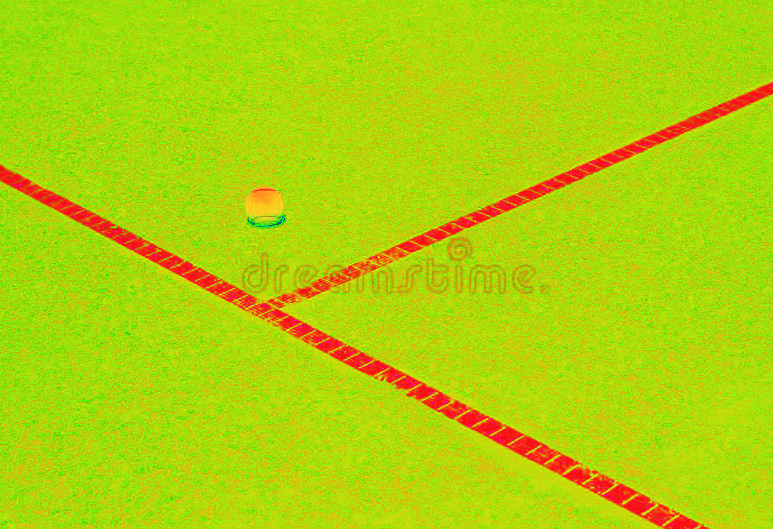
hsv=cv2.cvtColor(image, cv2.COLOR_BGR2HSV)cv2.imshow("hsv_image_name",hsv)The below image shows the output of the code which converts RGB images to HSV images
Defining the Upper and Lower Color Ranges
Note on the ranges of HSV color space in Open CV:The range of differt colors in the HSV space is represented differntly in the Open CV library and the ranges are as follows:
To obtain a specific range of colors in an image using the HSV color space, the upper and lower bounds are defined. In the case of a tennis ball, which appears to be greenish-yellow, the lower bound can be set to 30 and the upper bound to 60 in the HSV scale. By doing this, we can effectively isolate all the colors in the HSV image that fall within this range, allowing for precise detection of the tennis ball.
Defining The mask
After defining the desired range, the next step in OpenCV is to apply an additional command known as the mask.The mask command in OpenCV takes the lower and upper bounds as input and selects all color ranges within that specified range.
Contour Detection
When detecting a particular object in an image, relying solely on color identification is insufficient. This is because there could be multiple objects in the image that fall within the specified color range.So contour detection will be helpful in such cases.Contour detection is a fundamental technique in computer vision and image processing used to identify and extract the boundaries of objects or regions in an image.Contours can be defined as the continuous curves that form the boundaries of objects or regions with similar pixel intensity or color. Contour detection aims to identify and represent these boundaries as a set of connected points
Algorithm to Implement Contour Detection
- Reading Image as an RGB image
- Thresholding
- Extraction of Contours
- Contour Filtering and Processing
- Visualizing the detected Contours
Reading image as an RGB image
In order to do this first we have to import the open Cv library.The code to read the RGB image is give as Image=cv2.imread(image_name.jpg).After reading the image we can dispaly the image by using the code cv2.imshow("name_of_the_image",image)
Thresholding
Applying a thresholding operation is necessary to convert the image into a binary representation, where foreground objects are represented by white pixels and the background by black pixels.
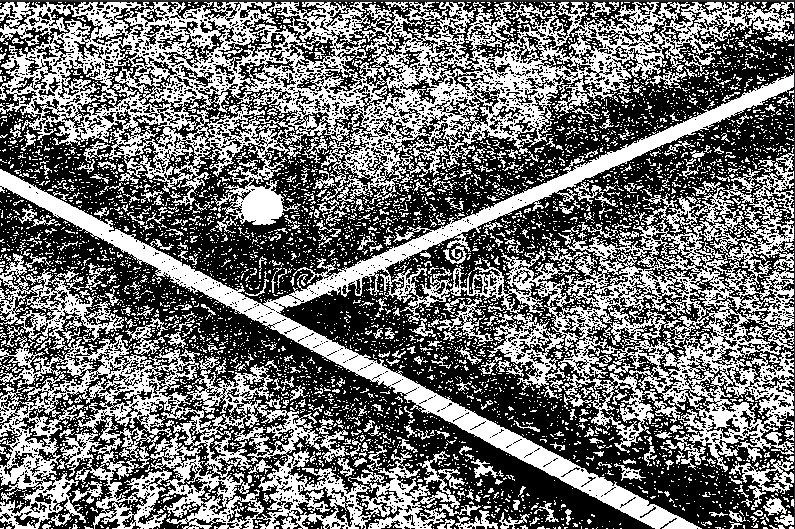
Here Adaptive Thresholding was used the reason is as follows.Adaptive thresholding is preferred over binary thresholding in certain situations due to its ability to handle variations in image lighting and contrast. It calculates the threshold value for each pixel based on its local neighborhood, adapting to local image conditions and accommodating non-uniform lighting. This adaptability results in better segmentation, enhanced contrast, edge preservation, and improved performance on images with uneven lighting or low contrast.The below image shows Adaptive Thresholding applied to an imaged of the tennis Ball
Extraction of Contours
The function cv2.findContours() is used to extract the contours from the thresholded image. This function identifies and returns a list of contours present in the image.
Contour Filtering and Processing
Once the contours in the image are extracted we have to filter and process them as there may be multiple contours in the image and in order to filter and process the contours we can use the built in function cv2.contourArea() which helps in filtering and approximating contours
Visualizing the detected Contours
Once the contours are extracted filtered and processed we can Visualize them by marking the contour in the original image by using the built-in function cv2.drawContours()
Output of contour detection-When applied to an image with a Tennis ball
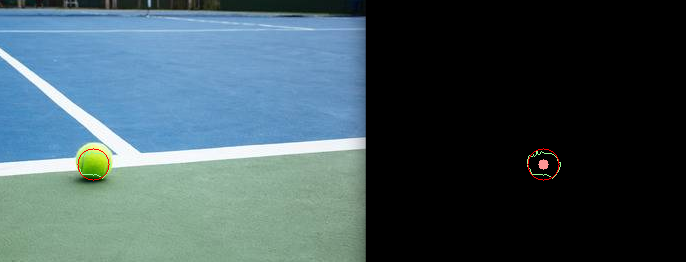
The output shows the contours detected in the original image (i.e RGB image ) and Image contours are represented in the black image
.png)
Applying the developed Methodology to Images with a Tennis Ball
The Methodology remains the same
- First we read the RGB image
- The color of the ball is filtered using Color filtering techniques
- Contour detection is applied
- The output is displayed
Output of the ball detection algorithm on an image with a tennis ball
Appling the developed Methodology to a Video stream
The Methodology is exactly the same but the detection algorithm is applied to each frame of the video stream.So the small change in methodology is
- Convert the video stream to individual frames
- Read each individual RGB frame
- The color of the ball is filtered using Color filtering techniques
- Contour detection is applied
- All the frames are combined once again to give a continious video stream which is detecting the Tennis Ball
Output of the detection algorithm
The below video shows the detection algorithms output.It can be seen clearly from the video that the algorithm is able to detect the motion of the tennis ball seamlessly
Results
The project demonstrated promising results, as the detection algorithm successfully handled multiple images containing a tennis ball. It also seamlessly processed video streams featuring tennis balls. However, in certain cases where the detection was challenging, the HSV values had to be adjusted to ensure accurate detection of the tennis ball.
Future Scope of the Project
By gaining proficiency in image detection concepts using OpenCV, I was able to unlock a wide array of applications with significant impact. In the modern world, image detection finds extensive use in various domains. Firstly, image detection is essential for object recognition and tracking, benefiting areas such as surveillance, robotics, and autonomous vehicles. It facilitates real-time identification and tracking of objects, enhancing safety and efficiency. Moreover, it plays a crucial role in facial detection and recognition technologies, supporting biometrics, security systems, and human-computer interaction applications.
References
- Official OpenCV Documentation: Comprehensive resource with tutorials and examples.
- "Learning OpenCV 4 Computer Vision with Python" by Joseph Howse, Joe Minichino, and Oscar Deniz Suarez: Practical guide to image processing and computer vision using OpenCV 4 with Python.
- "Mastering OpenCV 4 with Python" by Alberto Fernandez Villan: Advanced book covering image segmentation, object detection, and deep learning-based approaches in OpenCV.
- Online Courses: Platforms like Udemy, Coursera, and edX offer courses on computer vision and image processing using OpenCV.
- PyImageSearch: Website with tutorials, projects, and resources for computer vision and OpenCV.
- LearnOpenCV: Online platform providing tutorials, articles, and resources for OpenCV and computer vision.